
 When you select a company name from the stock referred to the number 1, we select the company name and automatically the system will select the data path in the stock referred to number two, and then we press the button referred to number 3 (Continue) screen shown will show us below.
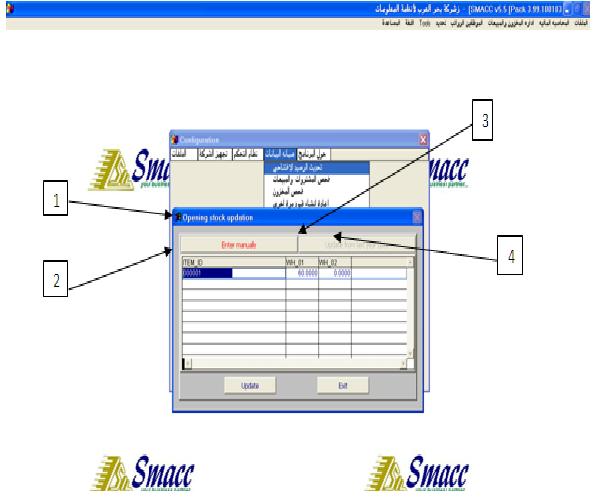
 Is pressed (Enter Manually) and referred to by the arrow (1), it shows us Item No., and referred to the number (2), and (WH_01) and referred to the number (3), and here enters the amount found in the store No. 1, while the stock referred to in No. (4) (WH_02) Hence, the amount found in the store No. 2 intervention, will these fields appear as the number of warehouses in the company.